


ZUMIMALL
4.61.86K Reviews
App Specs
- Version
- 6.2.1
- Updated On
- License
- Free
- Downloads
- 100,000+
- Developer
- Shenzhen Junan Technology Co., Ltd
- Categories
- Business
- Platform
- Android
Screenshots
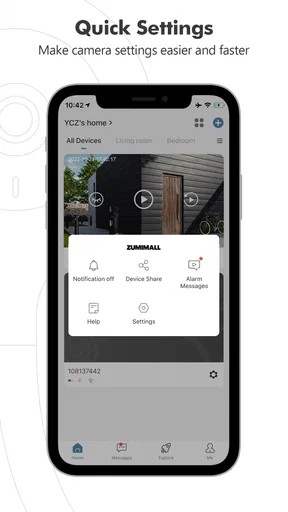
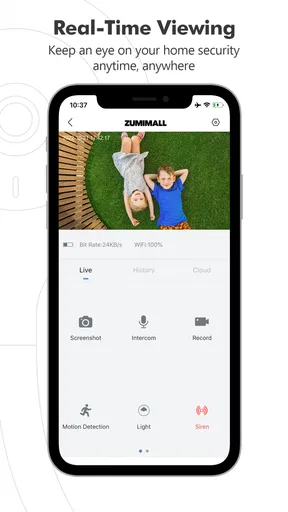
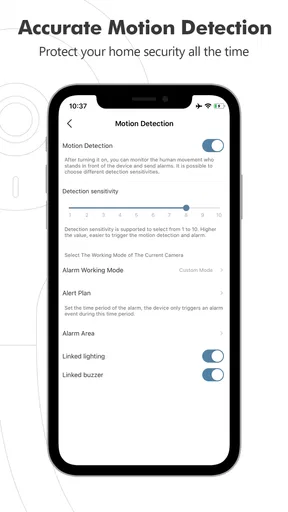
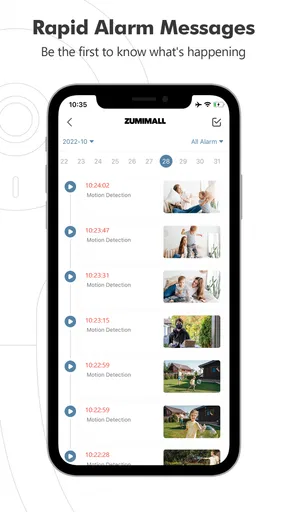
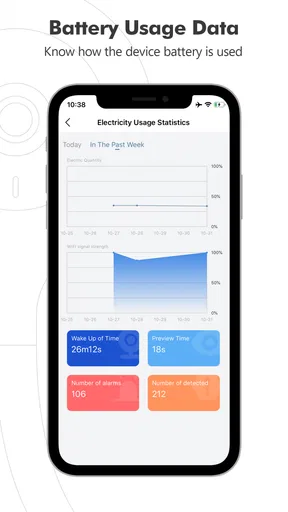
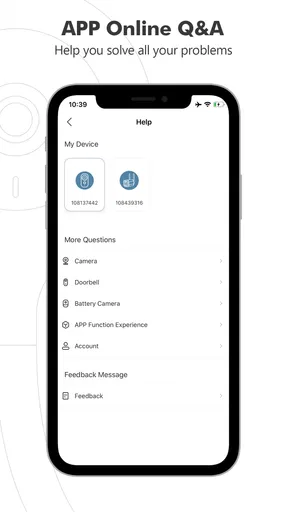
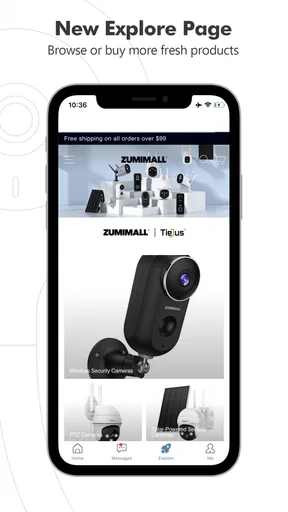
 Analysis by AppCompare
Before I install a home-security app, I want to know what it can actually do for me day to day. ZUMIMALL is designed to work with compatible home-security products, so it makes most sense if you already own one or are choosing a system that uses it. The app itself is free, and it comes from Shenzhen Junan Technology Co., Ltd. Its Business category fits its practical purpose: checking in on a property and managing security products rather than replacing a general-purpose camera app.
What to expect from a security companion
The first thing to keep in mind is that this is not a standalone way to watch a home. You need a compatible ZUMIMALL security device to get meaningful use from it. Once paired, the phone becomes a convenient place to view and manage that device. That distinction matters if you are comparing it with a phone-only camera app or a broad smart-home dashboard: the value here depends on the hardware you plan to use with it.
On the app page, it has a 4.6 average from around 5,300 ratings, with more than 100,000 installs. Those figures suggest that plenty of people are using it, but they are not a promise that every camera, Wi-Fi setup, or home layout will behave the same way. I would treat the app as one part of a security setup and check device compatibility before building a system around it.
Setting Up the ZUMIMALL Experience
First things first, getting started with ZUMIMALL is a breeze. I downloaded the app directly from the App Store, and within minutes, I was up and running. The installation process is smooth and intuitive, guiding you through every step like a friendly neighbor who knows their stuff. You'll need a ZUMIMALL camera, of course, but once it's synced with the app, you're good to go.
For a first-time setup, I recommend choosing the camera’s permanent location before pairing it. A device that works well near the router during setup may be less reliable after you move it to a porch or garage. Getting the network and placement sorted early makes the first test more useful: you can see whether the view covers the area you care about and whether the connection holds up where the camera will stay.
The interface is clean and straightforward. You're not bombarded with unnecessary options that make you feel like you need a tech degree to operate it. The app walks you through setting up your cameras, adjusting angles, and even configuring motion detection settings. I found the whole process to be as easy as pie, and I was sipping my coffee while keeping an eye on my front porch in no time.
Make the first check-in useful
Rather than stopping once a live view appears, I would test the setup with an ordinary visit to the area being monitored. Walk past the camera as a delivery person might, then check whether the view includes the approach and whether the motion alert arrives at a useful time. This simple test can reveal a camera pointed too narrowly or sensitivity that is likely to produce distracting alerts.
Worth Reading Before You Choose

EA SPORTS FC Mobile 26 Is a Bigger Football Game, but It Takes Time

Flipboard Shows What News Apps Must Do Beyond the Feed

Switching to Android Auto Means Rethinking Your Driving Routine

Google Calendar Makes a Crowded Week Easier to Manage

Ludo King Makes the Most of the Minutes Between Plans

Baby Panda World Brings Quick Play to Modern Phones, but Its Game Library Feels Busy
A realistic use is checking the front door while you are at work: an alert can prompt you to open the live view, assess what is happening, and use the camera’s audio if you need to speak to someone. That is more practical than opening the app repeatedly without a reason. For a holiday or a long day away, the same routine lets you check a specific entrance without relying on a neighbor to look in person.
Features That Stand Out
What really sets ZUMIMALL apart is its impressive range of features. The app offers real-time video streaming, which means you can check in on your home whenever the mood strikes. The video quality is crystal clear, and I was impressed with how well it performed even at night, thanks to the night vision capability.
Another feature I found super handy is the two-way audio. Imagine being able to chat with delivery folks or scare away potential intruders right from your phone. It's like having a virtual doorbell that does so much more. I tested this out with a friend, and the audio was surprisingly clear both ways.
Two-way audio is most useful when you have a clear, low-stakes reason to respond, such as telling a visitor where to leave a parcel. I would not treat it as a substitute for calling emergency services or as a guarantee that a person will hear you clearly in a noisy outdoor setting. It is worth trying from the spot where you expect to use it, so you know how it sounds before you need it.
The motion detection is spot on. You can customize the sensitivity settings, so you’re not constantly notified every time a leaf blows by. I set mine to a medium sensitivity, and it worked like a charm, alerting me only when there was genuine movement.
One useful trade-off with motion sensitivity is that making it less reactive may reduce nuisance alerts, but it can also make the camera less likely to flag smaller movements. I would adjust it gradually rather than choosing the most restrictive setting immediately. If a camera faces a busy sidewalk or a swaying tree, changing its angle may be a better first fix than relying only on sensitivity controls.
Usability and Performance
In terms of usability, ZUMIMALL is as user-friendly as it gets. The app layout is intuitive, and everything is just a tap away. I never felt lost or overwhelmed, which is a win in my book. The notifications are timely, without being intrusive, and I appreciate how quickly they come through.
For a household with more than one person checking the same camera, it is sensible to agree on who will respond to alerts and what counts as a reason to check the feed. Otherwise, notifications can become background noise or prompt several people to investigate the same event. A simple routine—one person checks first, then shares anything important—makes a security app more useful without adding extra complexity.
Performance-wise, I noticed that the app runs smoothly without any annoying lag or crashes. The streaming is seamless, and switching between camera views is quick and responsive. It’s a testament to how well the app is designed and optimized for both Android and iOS platforms.
As with any camera system, the experience also depends on the phone’s connection and the network at the camera’s location. If a stream takes longer to load, I would first check whether the camera is placed where its connection is reliable, rather than assuming the app itself is at fault. That is especially worth considering for an outdoor camera installed far from the router.
Where it fits—and where it does not
Compared with using a basic camera viewer, a dedicated companion app is a better fit when you want the phone to work directly with the security products you own. Compared with a broader smart-home platform, it may be less appealing if your main goal is to control devices from many different brands in one place. I would choose based on the hardware you are buying, not on the assumption that every security app can connect to every camera.
This is a reasonable option for someone who wants a straightforward way to check a compatible camera, receive motion alerts, and speak through it when appropriate. It is less suitable if you have no ZUMIMALL device, want a camera-independent monitoring service, or expect an app alone to provide complete home protection. A camera can help you notice activity, but it cannot physically secure a door or guarantee that an alert will be acted on.
The app is free to download, though it also offers in-app purchases ranging from $0.99 to $359.99 per item. I would look carefully at what any purchase covers before committing, and consider the ongoing cost of the overall setup rather than judging it by the download price alone. It is rated for Everyone, runs on Android 5.0 or later, and the current version is 6.0.1; iPhone users should check the requirements shown for their own device before installing.
Final Thoughts
So, is ZUMIMALL worth the hype? Absolutely. It’s a reliable and efficient app that brings peace of mind to anyone looking to up their home security game. Whether you’re tech-savvy or just starting out, this app caters to all levels of expertise with its thoughtful design and robust features.
In a world where security is paramount, having an app like ZUMIMALL provides not just safety, but also convenience. It’s like having a personal security guard who never takes a day off. So, if you’re in the market for a security solution that combines ease of use with top-notch performance, give ZUMIMALL a try. You might just find it’s the missing piece to your home security puzzle.
A sensible next step
If you are considering it, start by confirming that the camera or other security product you want works with the app, then choose one location and test the view, alerts, and audio before depending on it for a whole property. The developer released it on Aug 1, 2020, and it has received around 1,800 written reviews, but I would still base my decision on compatibility and a real trial in the place you intend to monitor. That small check is the best way to find out whether its approach suits your home.
Pros
- Easy to set up and use for beginners.
- High-quality video recording capabilities.
- Long-lasting battery life.
- Customizable motion detection zones.
- Reliable app notifications.
Cons
- Limited integration with smart home systems.
- Occasional lag in live video feed.
- Subscription required for cloud storage.
- App interface can be cluttered.
- No local storage option available.
FAQs for ZUMIMALL
What features does ZUMIMALL offer for home security?
ZUMIMALL provides a range of features aimed at enhancing home security, including HD video recording, motion detection, night vision, and two-way audio. The app also supports real-time alerts and remote monitoring, ensuring users can keep an eye on their property from anywhere using their smartphone.
Is a subscription required to use ZUMIMALL cameras?
ZUMIMALL cameras offer basic functionality without a subscription, but for advanced features like cloud storage and extended video history, a subscription plan may be needed. Users should check the app for specific details on what features are included in free versus paid plans.
How does ZUMIMALL ensure data privacy and security?
ZUMIMALL prioritizes user data privacy by implementing end-to-end encryption for all video and audio recordings. This ensures that only the user can access their footage. Additionally, the app regularly updates its security protocols to protect against unauthorized access and potential vulnerabilities.
Can ZUMIMALL cameras be integrated with other smart home devices?
Yes, ZUMIMALL cameras are designed to be compatible with various smart home ecosystems, allowing integration with devices like Amazon Alexa and Google Assistant. This enables users to control their cameras using voice commands and create automated routines for enhanced home security.
What are the installation requirements for ZUMIMALL cameras?
Installing ZUMIMALL cameras is straightforward and typically requires a stable Wi-Fi connection and a compatible smartphone. The cameras are wireless and come with mounting hardware, making it easy to position them in optimal locations. Users should ensure their Wi-Fi network is secure and reliable for the best performance.


